


 Chat Wao
Python Project for Beginners: Build a Powerful Daily Expense Tracker | PythonCodeVerse
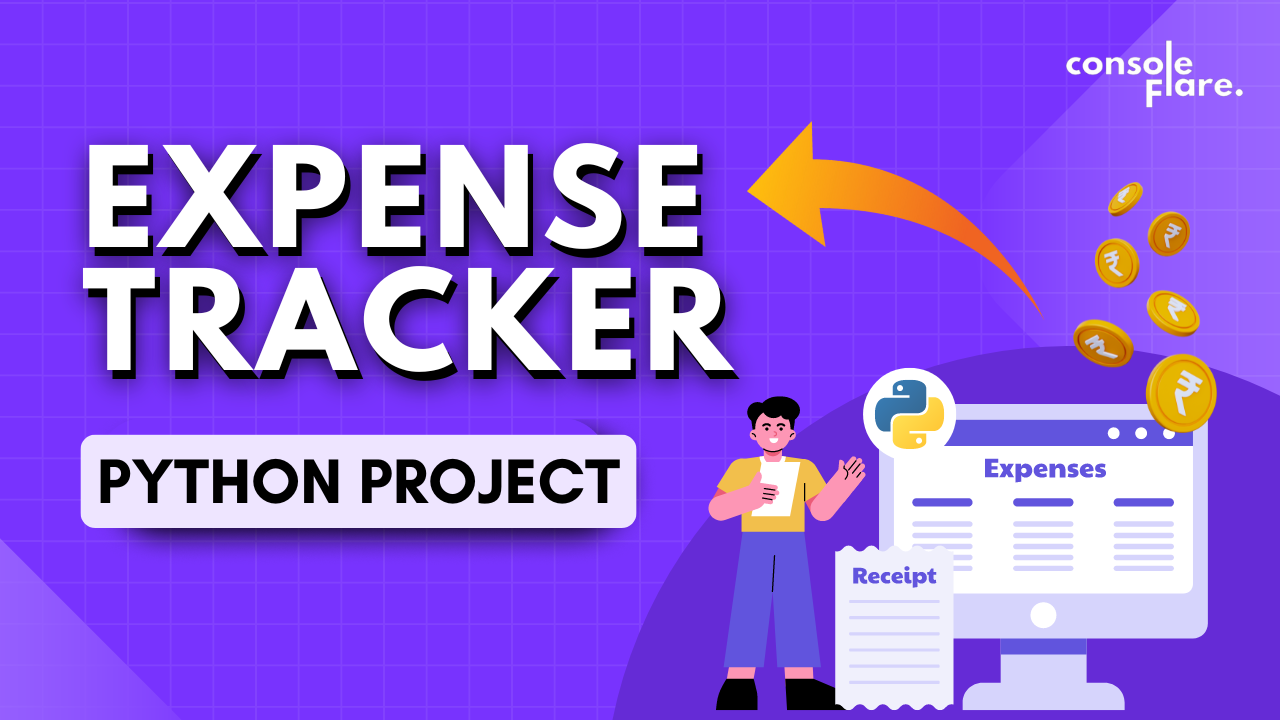
Managing personal expenses is a task we all deal with, yet few of us do it efficiently. A digital solution, like a Daily Expense Tracker System, can simplify this and give you control over your money. In this article, we’ll explore how to create a Pro Version of an Expense Tracker using Python — a powerful, beginner-friendly language for building real-world projects.
🚀 Why Build an Expense Tracker?
Whether you're trying to save more or simply want to know where your money goes each month, an expense tracker can help you:
- Monitor daily and monthly spending
- Categorize expenses (food, travel, rent, etc.)
- Visualize spending patterns
- Stay within budget
- Maintain financial discipline
Building such a tool is also an excellent way to practice your programming skills.
🔧 Key Features of the Pro Version
This isn’t just a basic tool—it’s a fully functional expense management system with features like:
- ✅ User Login and Authentication
- ✅ Add/Edit/Delete Expense Entries
- ✅ Category-based filtering
- ✅ Monthly summary dashboard
- ✅ Export data to Excel or CSV
- ✅ Charts for visual spending analysis
- ✅ Secure and local SQLite database
🧑💻 Technologies Used
- Python 3.x – main programming language
- Tkinter – for building a simple yet interactive GUI
- SQLite3 – lightweight, built-in database
- Matplotlib – for creating charts and graphs
- Pandas – to manipulate and export data
This stack is ideal if you're working on a Python project for beginners.
🧱 Project Structure
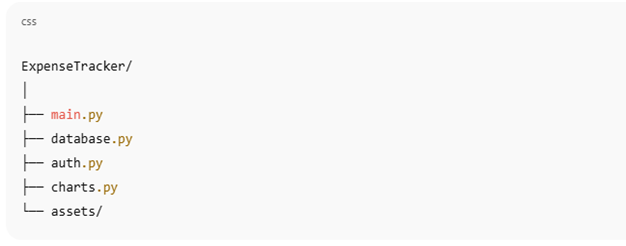
Each module handles a specific responsibility—keeping the code clean and modular.
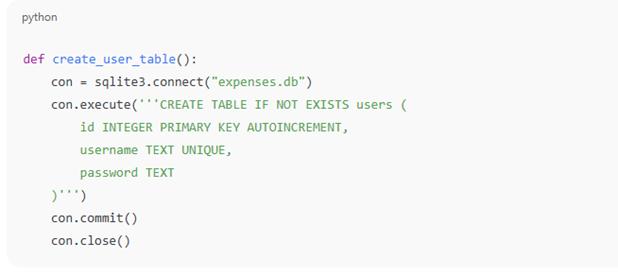
🔐 User Authentication
To make the app personalized and secure, include a login/signup system using SQLite.
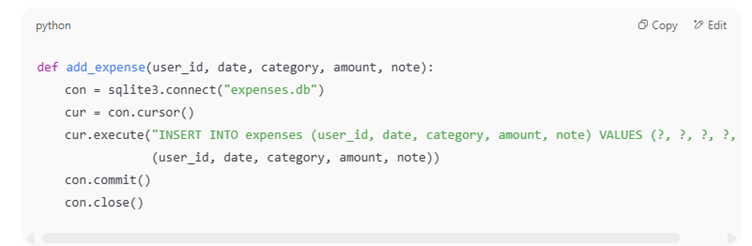
💰 Expense Entry & Management
Track daily expenses with fields like:
- Date
- Category
- Amount
- Notes
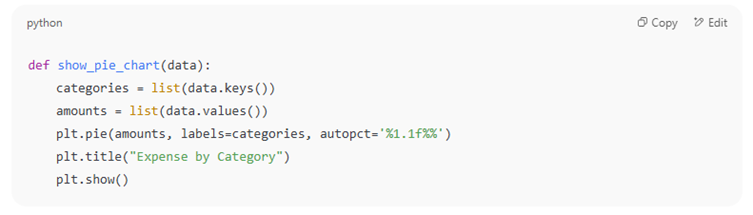
📊 Visualizing Data with Charts
Use matplotlib to build bar or pie charts to analyze monthly spending.
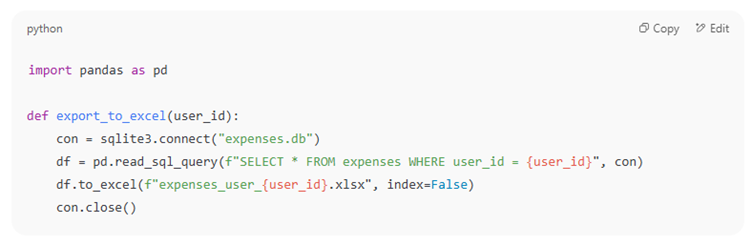
📤 Export to Excel
You can easily export your expense data for offline use or sharing.
🎯 Benefits of This Project
- Learn full-stack Python (backend, frontend, database)
- Practice CRUD operations
- Gain hands-on GUI experience
- Build something useful and portfolio-ready
This makes it an excellent Expense Tracker Project in Python to add to your resume or GitHub.
🔮 What’s Next?
Enhance the project further by adding:
- Cloud database (Firebase, Supabase)
- Email reports
- Recurring expense detection
- Dark mode UI
- Mobile app (using Kivy or a Flutter-Python bridge)
📝 Final Words
This project is a practical and rewarding experience that teaches core Python skills, UI building, database handling, and data visualization. Whether you’re a student or a developer brushing up on skills, this Expense Tracker can be a powerful addition to your journey in Python development.
Contact us now or visit our website to get a quote!
Email: pythoncodeverse@gmail.com
Website: https://pythoncodeverse.com

 English
 Arabic
 French
 Spanish
 Portuguese
 Turkish
 Dutch
Dutch
 Italiano
 Russian
 Romaian
 Portuguese (Brazil)
 Greek
Greek